

Technology Transition: Lemons to Apple




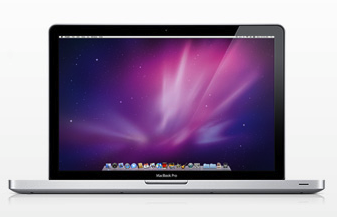 One week ago, my office went “back to Mac.” I’ve been known to get a little cranky when computers aren’t working, so this transition was anticipated with some stress. Enough people have asked me on Twitter and Facebook about the PC to Apple switch that I thought it was worth a post. And, I speak a lot about moving mindsets up the technology ladder, so I didn’t want to be a hypocrite because my mind was definitely stretched in uncomfortable ways through this. However, I’m happy to report that we have a much more efficient office, streamlined system and greater understanding that technology really should be in the background when operating properly.
In case you stumbled on this post from the IT or techie world, let me be clear – I’m not a technology expert and I have been known call equipment/software by the wrong name. I do love technology and try to figure out how to apply it in ways that can help my community. Here’s the positives of my “back to Mac” experience thus far.
Customer Service: Rarely would I lead with the people behind such an elegant product, but I have to hand it to Apple – they know how to treat customers. I was delighted to find a staff who was equipped to keep pace with customer needs at our local store. Eric was the person who helped me and he clearly understood business customers have specific needs. After carefully listening to my long list of needs, he even went so far to tell me that I didn’t need the Mac mini to operate as a server or the more expensive software I was considering. That built trust, as did his habit of calling over “experts” when he couldn’t answer questions. Three hours later, I walked out with a system that made me, my assistant and him very happy. Nearly every Apple person I’ve dealt with since then has shown the same level of support; they do everything they can to answer your questions. And trust me, I ask A LOT of questions.
Time Capsule: It’s a remarkable multi-tasking piece of equipment. Time Capsule has 1 terabyte (wow!) of back-up AND a wireless router. There were screams of joy in my office (really!) when we plugged this in and it worked on the first try. After spending all sorts of set up time on our first wi-fi router 7-8 years ago, the plug and play of the Time Capsule was amazing! Our office system was backed up overnight and now the Time Machine software updates file updates automatically. No more of my assistant scheduling a back-up and monkeying with file errors every week.
MacBook Pro High Resolution Low Glare Screen: Fast technology pushes my buttons, but I also like a good deal. I ended up with the high-end laptop because the side-by-side photo comparisons I conducted in store told me that the high-resolution screen was worth it. The graphics ROCK on this machine and the low glare has been a wonderful feature in an office with five windows. Oh, and the laptop? It’s a lovely machine and is more than meeting our needs, but I haven’t taken it through its’ full paces. I did learn it’s made from aluminum and dents easily, so a few Apple people were sweating when I carted it around the store under my elbow. As a result, I’m ordering a hard case to protect it since computers sometimes get dropped.
Training: Back in college, I had a Macintosh that I could get to do anything – and needed no IT support (which has never been the case with the PCs). It’s been great to be back, but there’s been a lot of “mind stretching.” Apple offers a one-to-one training program that was an excellent 60 minutes – they allowed me to ask all of questions I wanted about a variety of subjects. Tailor-made learning – what more could you ask for? Perhaps allowing people who live an hour away to schedule back-to-back sessions, but Eric fixed that problem with another business consultation. Apple also has a “Genius Bar” for problem solving, though it’s only 15 minutes session, so be prepared with one issue to be resolved. If you’re going to make the investment, get some training for yourself!
Software Transition: This is the item that seems to hold people back from going PC to Mac, I’ve found. It’s really remarkably easy with the Microsoft Office package. Honest. Once you get your files arranged to where you want them on your computer, we’ve found software is a non-issue. And, the HP All-in-One printer that has given us grief and cost a lot in tech support now scans without a blink after we upgraded the driver. It didn’t work for 2+ years on my PC.
IMAP: That’s not a Mac thing, but I waited until the transition to go from a POP to an IMAP server. Don’t ask me what IMAP means; all I know is that it allows multiple devices to manage email, so an email that I read on my iPhone is shown as read on my laptop – and those that I delete on my laptop are gone from my phone. It’s helped tremendously to manage the overflow of emails, though I still haven’t figured out a great system to manage the emails that still need action. Please feel free to share if you have a great way of handling this yourself.
The downsides?
Email: Never knew it until the switch, but my office was an Outlook-aholic. It’s been major culture shock and I won’t pretend to be in love with iMail. I miss the visual integration of contacts, calendar and email being in one place (they are loosely integrated on the Mac). However, all of my research indicates that Thunderbird and like solutions are more like Outlook Express, and that Eudora (MS version of Outlook on Macs) can be unstable with large files. The culture shock is subsiding more each day as we grow more accustomed to iMail. MobileMe does seem to compensate for some of this, though you have to use rules and designated shared folders for this to work.
File Transfer: The Apple store couldn’t get my email files transferred, but a colleague told me about $10 program that made this work with some adjustments. I did leave my old and new laptop at the Apple store for 24 hours (aghast!) to for the data transfer. They seemed to have got most things, but there have been some glitches. This is true with any computer transition.
Docking Station: Given the price and intended use of MacBook Pro’s, they should come with a docking station. It’s just a pain to unhook five cords whenever the laptop needs to be mobile. One of those cords is connected to USB hubs since the machine only comes with two USB ports.
In my experience, the upsides far outweigh the downsides of going from the lemons of a PC to a Mac. It definitely stretches your mind, but shouldn’t we all be doing more of that?
3 Comments
Leave a Comment
You must be logged in to post a comment.




Welcome back to the Apple side – I’ve got an iPad on the way and I can’t wait!
Welcome back to Mac world. I’ve resisted going the PC route for years even though my father in law, who taught college business classes on a PC, was a strong PC user.
We always seem to wait too long to upgrade to the newer machines, because the old ones just work so well for so long.
I may need to buy a PC to access my intended purchase of a new combine/planter monitor. I’m not looking forward to it.
For your email, you may want to consider moving to Google Apps. You can use IMAP to look after it and transitioning from PC to Mac or Mac to new Mac later will be much easier, you just configure the mail client or go online and all your email is just there. The sharing problem goes away. There are some gotchya’s though – rather than using the Delete button in Apple Mail, you need to drag the emails to the Gmail->Trash folder. Ok, one gotchya. The nice thing is you can get push mail on your iPhone as well.
But, if you have MobileMe, you pretty much have the same thing. Google Apps works better if you have your own domain. And it works well with Apple’s software.
We went from PC (albeit mainly Linux PCs) to Mac about 5 – 6 years ago. Have never looked back.
Time machine will save your ***. I lost a drive a while back and was in the Apple Store for 45 minutes, walking out with a new drive and fresh install of Mac OS X. Then it was another 2 hours of thumb twiddling (reading, fixing fence, watching TV) while all my data was restored, with no interference by me, by Time Machine. And that was it!!! I was back up and working in 2 hours and 45 minutes (plus driving time).
I don’t think you need anyone to tell you you made a great choice, you’re experiencing it for yourself.